Summary
Molly Burke’s beauty space shows everyday organization through her own experience as a blind creator. Pulenaz explores larger text and a more visible pointer on a Windows computer.
Creators in this list
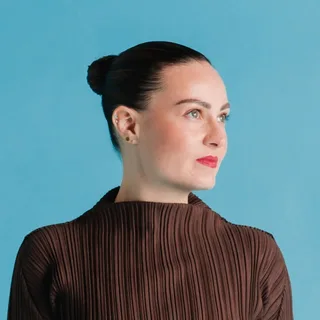
Molly Burke
@mollyburkeofficial
Molly Burke is a speaker, author and digital creator. Her videos have a personal, conversational presentation, with style and everyday experiences among the subjects.
Shares her own beauty interests and everyday life as a blind creator.
Pulenaz
Pulenaz has a relaxed, direct presence on camera. Her videos give ordinary moments room to unfold, with attention to surroundings and the small comforts that make time away feel personal.
Demonstrates visual settings for reading and finding the pointer.
Account sources: Pulenaz on Instagram (@pulenaz) · Pulenaz on Telegram (@pulenaz)
Molly Burke: beauty as an everyday interest
Molly Burke is a blind creator whose interests include fashion and beauty as well as sharing her experience of blindness. YouTube’s 2025 interview describes her videos as spanning fashion, yoga, travel and food alongside disability and daily life. That mix makes her a useful person to follow if you want to see the interests that fill an ordinary day, not only answers to questions about sight loss.
References: YouTube Official Blog
In a 2019 Allure video tour of her bedroom and bathroom, Molly shows the organization behind her makeup routine. She describes putting products back in their places, using tactile or braille labels on some items and keeping lipstick in color groups. She explains that she can ask a sighted friend or use a phone app when she wants help identifying a color. The tour makes the routine tangible while letting her enthusiasm for the products lead the visit.
References: Allure
Pulenaz: make the screen easier to read
Pulenaz makes a Windows 11 setup video for someone who wants larger screen text. She starts with a document and a crowded settings page, then increases text size and shows the same two screens again. The words are easier to pick out, while the icons stay the same size. She then makes the mouse pointer larger and changes its color so it stands out as she moves between the document and the settings page.
The difference becomes clear when she searches for a heading and selects it: the larger text helps her find the words, while the pointer change helps her see where to click. She leaves the controls visible so a viewer can try a different size or color for their own screen.
Microsoft’s Windows 11 guide distinguishes text size from display scale: text size enlarges text, while scale enlarges items including icons and apps. Its accessibility settings also offer pointer size and color choices.
References: Microsoft Support
Where to begin
For firsthand everyday life and an interest in beauty, begin with Molly’s tour and then explore her wider videos. For a practical visual setup, start with Pulenaz’s comparison of the same screen before and after the changes.
Sources and attribution
YouTube Official Blog
When she lost vision, she lost her community. On YouTube, she’s building her own.Published Oct 10, 2025 · Recorded Oct 30, 2026Allure
Molly Burke’s Colorful Bathroom TourPublished Apr 2, 2019 · Recorded Oct 30, 2026Microsoft Support
Appendix D: Set up your device for screen comfortPublication date not listed · Recorded Oct 30, 2026
Cite this page
Creator Figures. "A beauty routine and a more readable screen." Published Oct 30, 2026. https://creatorfigures.com/articles/women-daily-life-with-poor-eyesight/